While Smartsuite doesn't have the feature just yet it is possible to generate a list of unused barcodes using excel, however the barcodes must have some sort of sequential order.
For example, a library's lowest barcode is '351920000011 ' and highest barcode is '351920424652' and wants to know all unused barcodes between that range then a list using Excel can be created.
Step 1: Using the copies by barcode report, set the ordering setting to copy barcode ascending.

Step 2: Export the data as a CSV file and open it up in excel
Step 3: Extract the copy barcode column into a separate sheet and put it in column B
Step 4: Make sure A1 is selected and then click  , create a sequential array of numbers in column A, ranging from lowest Barcode used to the Highest Barcode Used.
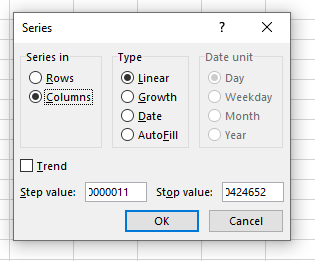
Step 5: In C1, paste in the following formula:
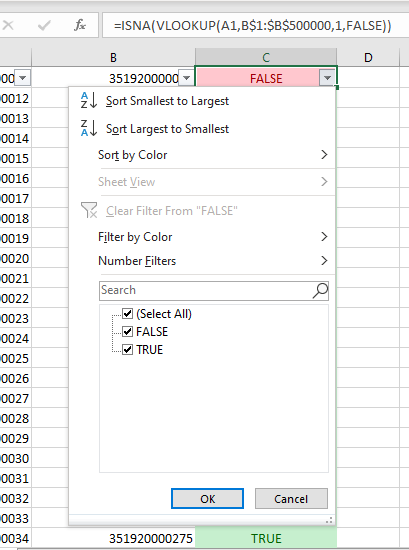
=ISNA(VLOOKUP(A1,B$1:$B$500000,1,FALSE))
What is bolded can be limited to just the highest barcode used.
Step 6: Highlight the entire C column and then press and then select 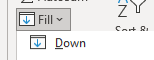 . The entire column will be populated with the formula and barcodes used will be marked as false, while barcodes unused will be marked as true.
Step 7: Select 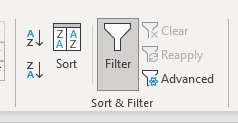 . Then click the down arrow that now appears on C1.
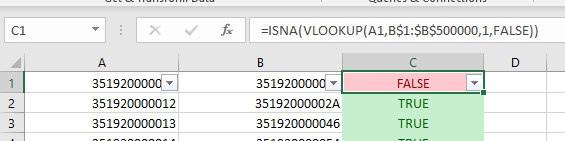
Step 8: Untick "true" and then click OK.
9. Delete Columns B and C
10. Click the down arrow on C1 again and reselect C
11. Delete Columns B and C again
12. What remains is the list of unused barcodes.