Welcome to SmartSuite Library
We’re excited to help you begin your move from Oliver to SmartSuite Library.
As part of your onboarding journey, our team will need a copy of your Oliver library data. This allows our conversion team to carefully prepare your catalogue records, copies, patrons, loans, and other key information before it is brought into SmartSuite Library.
What we need from you
Because Oliver is hosted by Softlink, you will need to contact Softlink and request a full backup or export of your Oliver data for migration purposes.
This export should include your current library data so our team can prepare it for conversion into SmartSuite Library.
Requesting your Oliver export
Please contact Softlink Support and let them know that you are moving to a new library management system and require a full data export of your Oliver system.
You could use wording like:
Hello Oliver Support,
Our school is moving from Oliver to SmartSuite Library, and we require a full export of our Oliver library data for migration purposes.
Could you please provide the relevant backup/export files so that the migration can go ahead.
Uploading your files
Once Softlink has provided the export, please upload the file using the secure upload link included in your SmartSuite Library onboarding email.
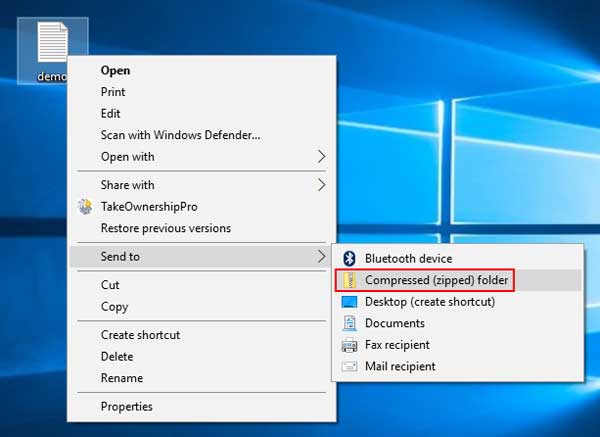
If Softlink provides multiple files, please place them into one zipped folder before uploading.
We’re here to help
If you’re unsure what to request from Softlink, please contact our team. support@functionalsolutions.com.au We’re happy to help guide you through the process and make sure we receive the right files for a smooth conversion.