- Click
 ->Mailbox.
 - Click on ‘Support Tickets’ Tab.
- The Support Tickets page will load. This is where you will find all your tickets.
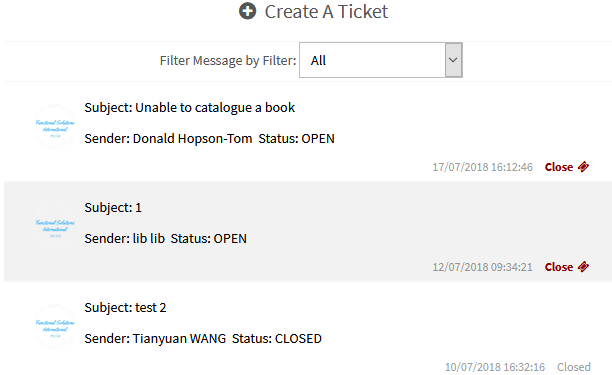
- To create a new ticket, click on the Create a Ticket button. See below as to how you will need to fill out the ticket information:
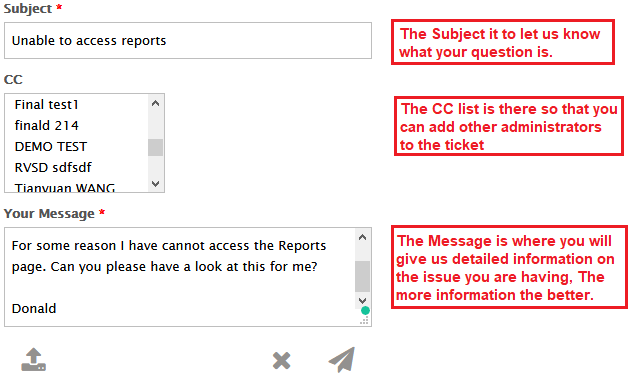
You can also upload images using the  .
.
Send the ticket to us using the  .
.
Cancel the ticket creation using the  .
.
- If you wish to add more to the conversation, type in the text field and click on button.
- You can ‘Close’ ticket by clicking on
 .
.
Related Video